

ProjecTime vs Clockify: Which Time Tracking Software Is Right for Your Team?
Why Trust This ComparisonThis comparison is written by the ProjecTime team. We have been straightforward about where Clockify is the stronger choice. All Clockify feature and pricing information has been pulled directly from Clockify’s official pricing page and help documentation. We have flagged ProjecTime features that are coming soon rather than listing them as current capabilities. Read the full comparison and make the call that fits your team. |
Quick SummaryClockify wins on free plan generosity, UX polish, native project management integrations, GPS tracking, and kiosk mode. ProjecTime wins on built-in billing at no extra cost, DCAA compliance, on-premise deployment, standalone attendance, fully customizable reporting, QuickBooks and Xero direct integration, phone support, and 15-language support. If your team needs to bill clients and meet compliance requirements, ProjecTime covers more ground. If you need a free tool that works immediately with no commitment, Clockify is hard to beat. |
ProjecTime and Clockify serve the same general category but are built around different priorities. Clockify was designed to be the most accessible time tracker on the market, starting free and scaling up. ProjecTime has spent 19 years building a platform specifically for professional services teams that bill clients, track reimbursable expenses, meet compliance standards, and need their time data connected directly to payroll and accounting systems. This comparison covers every material difference between the two so you can make a decision based on your team’s actual needs.
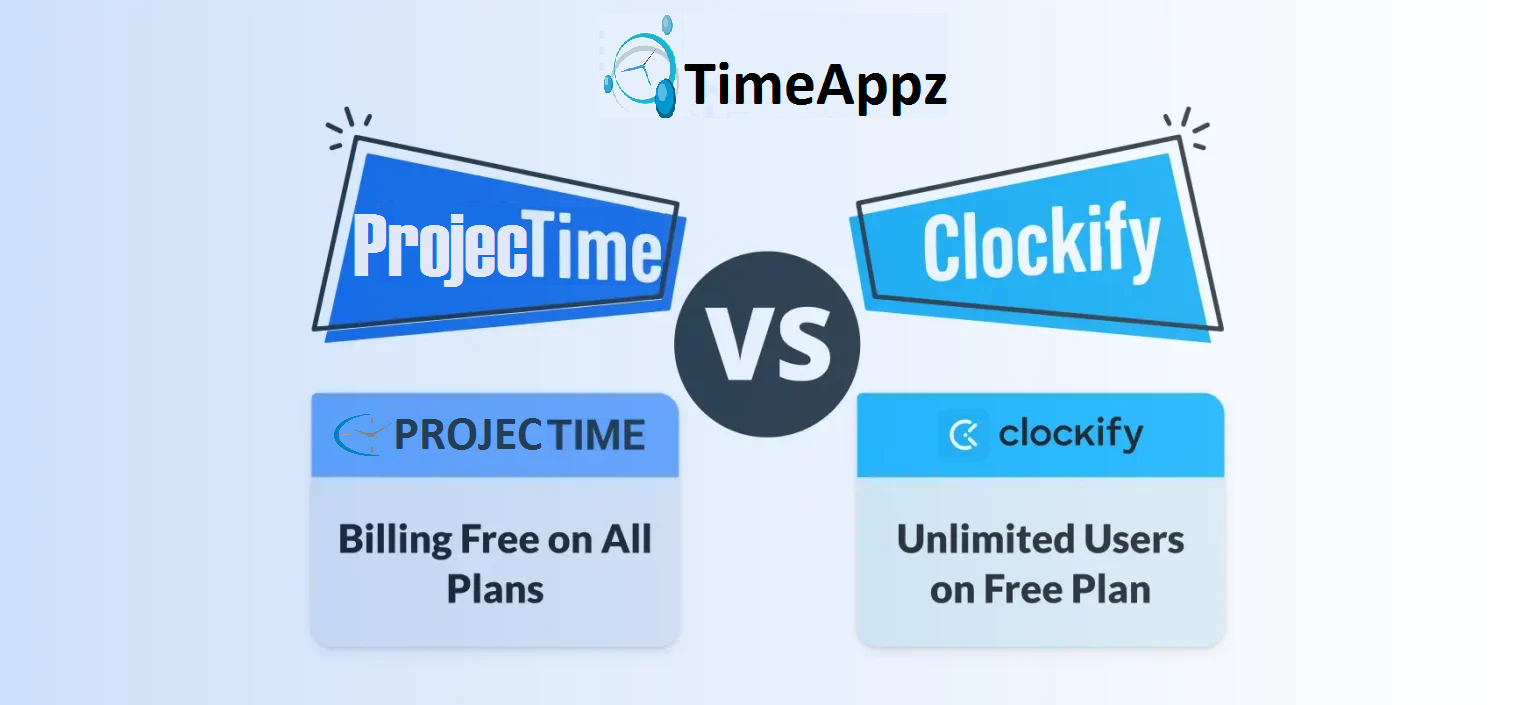
ProjecTime vs Clockify at a Glance
| ProjecTime | Clockify | |
| Best For | Consultants, architects, healthcare, agencies, DCAA contractors | Freelancers, startups, growing teams needing a free or low-cost entry point |
| Free Plan | Timesheet + Billing, 3 users, 3 projects | Unlimited users, unlimited projects, basic tracking |
| Paid From | $3/user/month and $2/user/annually | $4.99/user/month (Basic) |
| Billing and Invoicing | Free on all plans | Standard plan only ($6.99/user/month) |
| DCAA Compliance | ✓ | ✕ |
| On-Premise Deployment | ✓ | Cloud only |
| Standalone Attendance | ✓ | ✕ |
| Shift Scheduling | ✓ | ✓ |
| GPS / Geofencing | ✓ | Pro plan ($9.99/user/month) |
| Kiosk Mode | ✓ | ✓ |
| Custom Report Builder | ✓ | Fixed templates only |
| QuickBooks Integration | Direct: Desktop and Online | Standard plan and above |
| Xero Integration | Direct integration | Available via integrations |
| Languages Supported | 15 languages | English primary |
| Support Channels | Live chat, email, phone | Email, help docs (phone on Enterprise only) |
| Public API | ✓ | ✓ |
Feature-by-Feature Comparison
Core Time Tracking
Both platforms cover the essentials: timer-based tracking, manual time entry, mobile apps, project and task structure, and billable versus non-billable flagging. Clockify adds idle detection, Pomodoro timer, auto-tracker (desktop app tracks active windows automatically), and a calendar view. ProjecTime’s timer works on desktop and mobile and ties each entry directly to a project, phase, billing rate, and approval workflow from the moment it’s logged.
Where Clockify has an edge: idle detection, Pomodoro mode, and automatic tracking for users who forget to start timers are useful quality-of-life features that ProjecTime does not currently offer.
Where ProjecTime has an edge: every time entry is directly connected to billing rates, approval workflows, and accounting integrations at the point of entry, not as a downstream export.
Verdict: TieBoth solutions support essential time tracking, but ProjecTime stands out with its built-in billing precision and workflow alignment, while Clockify prioritizes simplicity and ease of use. |
Billing and Invoicing
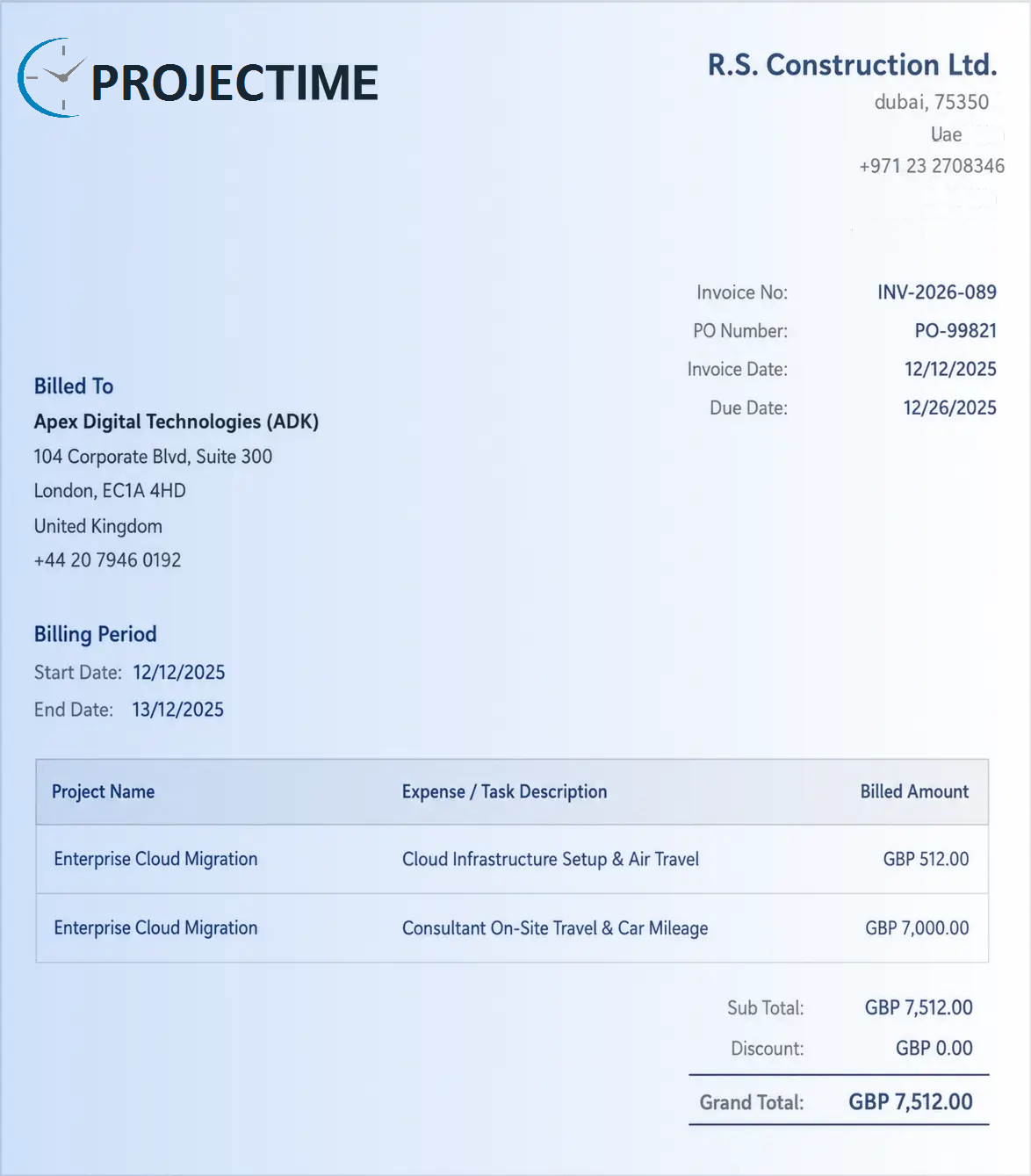
This is the clearest difference between the two tools. ProjecTime includes billing and invoicing at no extra cost on every plan, including the free plan. Clients are invoiced directly from approved timesheets, with per-client billing rates, white-label branding with the firm’s logo, and detailed time breakdowns. Invoices connect directly to QuickBooks Desktop, QuickBooks Online, and Xero without re-entry.
Clockify includes invoicing on the Standard plan at $6.99/user/month. The feature is well-implemented but unavailable on the free or Basic plan. For a 10-person consulting firm that needs to send invoices, upgrading to Standard adds $69.90/month before any other features are considered.
Verdict: ProjecTime winsBilling is permanently free on ProjecTime regardless of plan size. Clockify charges $6.99/user/month before invoicing is available. |
Reporting and Analytics
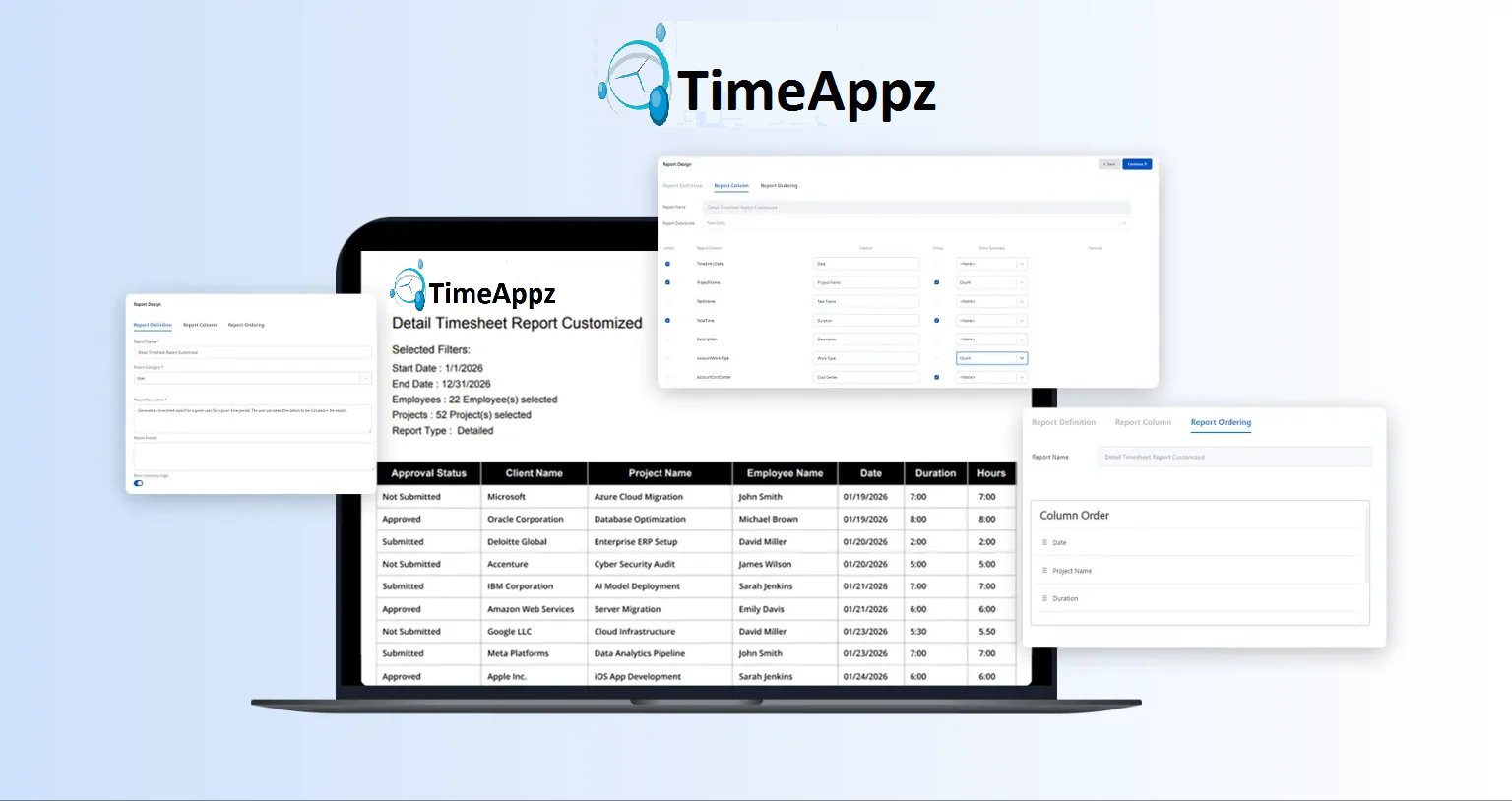
ProjecTime offers summary and detailed reports across daily, weekly, and monthly periods, exportable as PDF, Excel, and CSV. Administrators can build custom report types from scratch and group data by any combination of client, project, employee, department, or date range. This is the level of reporting depth that compliance-heavy teams and multi-client firms need.
Clockify’s reporting is solid and well-designed across paid tiers, with summary, detailed, and weekly views. However the report structure is fixed. Users can apply filters but cannot create new report types. One Clockify user on G2 noted they wished the platform offered more flexibility in personalizing reports to their own requirements.
For organizations that need to produce custom reports for different stakeholders, different billing structures, or DCAA audit documentation, ProjecTime’s custom report builder is a significant operational advantage.
Verdict: ProjecTime winsProjecTime wins on reporting flexibility. Custom report types built by administrators versus fixed templates with filters. |
 Attendance Tracking
ProjecTime’s attendance module is standalone, meaning it operates independently without requiring the Timesheet module. Teams that need to track when employees are present and absent, manage shift scheduling, and run attendance reports without project-based time tracking can do so on the Attendance module alone at $4/user/month. This serves manufacturing teams, healthcare shift workers, and retail or field operations where not every employee tracks project time.
Clockify’s attendance tracking is available from the Standard plan but works within the timesheet structure. It is not a standalone module and requires users to be part of the broader project-based tracking workflow.
Verdict: ProjecTime winsStandalone attendance module covers a broader range of workforce scenarios, particularly for mixed workforces. |
GPS Tracking and Kiosk Mode
Clockify currently offers GPS tracking on the Pro plan and kiosk mode (shared device clock-in with PIN) across paid plans. These are valuable for field service teams, construction crews, and distributed workforces that need location verification alongside time data.
ProjecTime has developed both GPS tracking with geofencing and a kiosk mode for shared device clock-in. Teams where GPS and kiosk are a current operational requirement should factor this in.
Verdict: ProjecTime winsStandalone attendance module covers a GPS tracking with GeoFencing to monitor workforce scenarios, particularly for mixed workforces. |
DCAA Compliance
ProjecTime includes DCAA-compliant timekeeping built into the platform, covering daily time entry requirements, timesheet locking, correction documentation with reason codes, supervisor approval before changes, and a complete audit trail for every entry. This is required for any US government contractor that bills on a cost-reimbursement basis.
Clockify does not offer DCAA compliance. Audit logs are available on the Enterprise plan and timesheet locking from Standard, but the platform does not meet DCAA timekeeping requirements as a built-in compliance framework.
Verdict: ProjecTime winsNon-negotiable for government contractors. Clockify cannot meet DCAA requirements without significant supplementary controls. |
Cloud vs On-Premise Deployment
ProjecTime offers both cloud and on-premise installation. For organizations with data residency requirements, security policies that prohibit third-party cloud storage of employee data, or environments requiring self-hosting, on-premise deployment is a material differentiator. One Capterra reviewer specifically chose ProjecTime over other tools because it offered on-premise hosting when their team of 80-plus users outgrew a previous system , and noted that no comparable tool in this price range offered the same option.
Clockify is cloud-only. No on-premise option is available at any plan tier.
Verdict: ProjecTime winsProjecTime is one of the few time tracking tools at this price point offering genuine on-premise installation. |
Integrations
ProjecTime connects directly to QuickBooks Desktop, QuickBooks Online, and Xero for accounting integration, and to hundreds of other applications via Zapier. A public API is available for custom integrations. See the full integrations list.
Clockify has a broader range of native integrations across project management tools including Asana, Jira, Trello, Notion, GitHub, Salesforce, ClickUp, and others, plus a well-documented API. For teams deeply embedded in project management ecosystems, Clockify’s native integration depth is wider.
Verdict: Clockify winsClockify has more native integrations across project management platforms. ProjecTime’s strength is accounting integration depth. |
Language Support and Customer Support
ProjecTime supports 15 languages: English, German, Spanish, French, Chinese, Italian, Dutch, Swedish, Portuguese, Thai, Turkish, Russian, Romanian, Norwegian, and Hungarian. See: ProjecTime multi-language support. Customer support is available via live chat, email, and phone.
Clockify supports English as its primary interface language with partial localization in some markets. Customer support is available via email and help documentation, with phone support on the Enterprise plan only.
Verdict: ProjecTime wins15 languages and phone support on standard plans. Clockify limits phone access to Enterprise tier. |
What Users Say
ProjecTime on Capterra (4.5 out of 5)
Common praise in ProjecTime reviews: pricing value, on-premise hosting availability, responsive support team, and depth of features for the cost. Common areas of feedback: learning curve for new users, and the interface takes time to get familiar with.
Clockify on G2 and Capterra (4.5 out of 5)
Common praise in Clockify reviews: generous free plan, clean user experience, breadth of integrations, and strong free tier for small teams. Common areas of feedback: interface can feel cluttered with multiple projects, and some features require higher tiers than expected.
Pricing Comparison
ProjecTime Pricing
| Module | Price | What It Covers |
| Billing and Invoicing | Free | Invoices from timesheets, per-client rates, white-label branding. All plans. |
| Timesheet | $3/user/month and $2/user annually | Timer, manual entry, approval workflow, audit trail, DCAA compliance. |
| Expense Tracking | $3/user/month and $2/user annually | Expense sheets, receipt attachment, approval workflow, expense types. |
| Time Off | $3/user/month and $2/user annually | PTO requests, approval, accrual policies, leave calendar. |
| Attendance | $3/user/month and $2/user annually | Standalone attendance, clock in/out, shift scheduling, attendance reports. |
| Advanced Project Management | $3/user/month and $2/user annually | Project budgets, phase tracking, profitability reporting. |
Clockify Pricing
| Plan | Monthly Price | Key Features Added |
| Free | $0 | Unlimited users, unlimited time tracking, basic reports. No invoicing, no approvals, no time locking. |
| Basic | $4.99/user | Bulk edit, required fields, project templates, admin controls. |
| Standard | $6.99/user | Invoicing, time off, timesheet approvals, time locking, QuickBooks. |
| Pro | $9.99/user | GPS tracking, project profitability, scheduling, screenshot monitoring. |
| Enterprise | $14.99/user | SSO, advanced admin controls, audit logs, custom subdomain. |
Cost at 25 Users: Timesheet, Billing, Expense, Time Off
| What You Need | ProjecTime (25 users) | Clockify (25 users) |
| Timesheet and Time Tracking | $75/month and $50 annually (Timesheet module) | $124.75/month (Standard) |
| Billing and Invoicing | Free (included on all plans) | Included in Standard above |
| Expense Tracking | $75/month and $50 annually (Expense module) | Requires Pro: $249.75/month |
| Time Off Management | $75/month and $50 annually (Time Off module) | Included in Standard above |
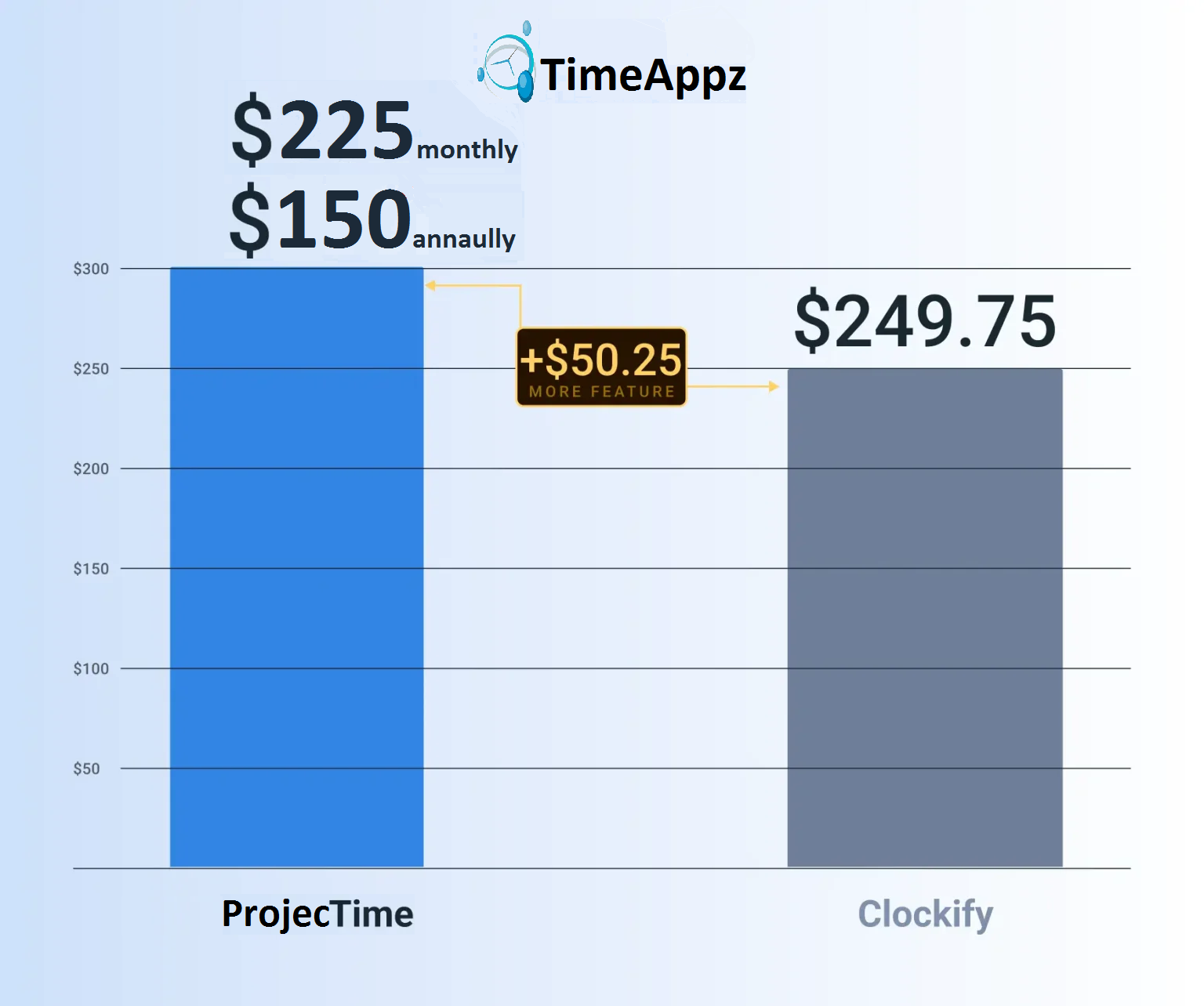
| Total monthly cost | $225/month and $150 annually | $249.75 (Standard, no expense) or more with expense |
Key Pricing NoteBilling is permanently free on ProjecTime across all plans. Clockify requires the Standard plan at $6.99/user/month before invoicing is available. For a 25-user team, this is $174.75/month before any other modules are considered. |
Who Should Choose ProjecTime?
- Consultants, architects, agencies, and freelancers who need to bill clients from timesheets without paying extra for invoicing.
- Government contractors that must meet DCAA timekeeping requirements as a contractual obligation.
- Organizations with on-premise deployment requirements due to security policy or data residency rules.
- Healthcare, manufacturing, and mixed workforce teams that need a standalone attendance module that works without project tracking.
- International teams needing a platform in 15 languages, including German, French, Chinese, Thai, and more
- Firms that need fully customizable reports where administrators can build new report types from scratch.
Who Should Choose Clockify?
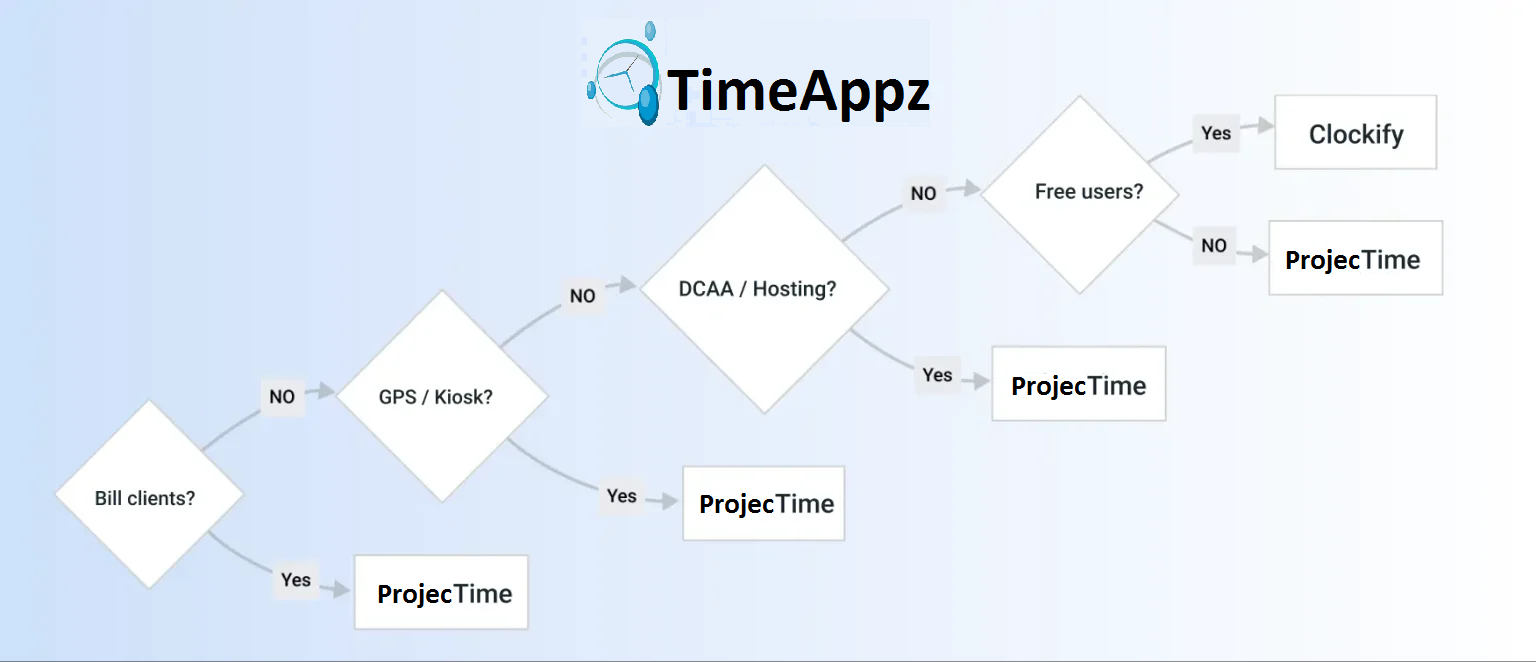
- Freelancers, startups, and small teams that need unlimited users on a free plan immediately, with no commitment or credit card.
- Teams that need GPS tracking and kiosk mode right now, before ProjecTime’s upcoming release of these features.
- Organizations deeply embedded in Jira, Asana, Trello, Notion, or GitHub who need native out-of-the-box integrations with those project management platforms.
- Teams that do not need to bill clients and where the primary use case is internal time tracking, productivity monitoring, or team reporting.
- Companies that prefer starting free and unlocking features progressively as needs grow, rather than selecting modules upfront.
Pros and Cons Summary
| ProjecTime Pros | ProjecTime Cons |
| Billing and invoicing permanently free DCAA compliance built in On-premise deployment available Standalone attendance module Fully customizable report builder 15 languages supported Phone support on standard plans QuickBooks (Desktop and Online) and Xero direct integration | Smaller free plan (3 users, 3 projects) No idle detection or auto-tracking No GPS or kiosk mode yet (coming soon) Fewer native project management integrations Interface has a learning curve for new users |
| Clockify Pros | Clockify Cons |
| Generous free plan (unlimited users) Idle detection, Pomodoro, auto-tracker GPS tracking and kiosk mode available Broad native project management integrations Clean well-designed interface Large user community and extensive documentation | Billing requires Standard plan ($6.99/user/month) No DCAA compliance Cloud only, no on-premise option No standalone attendance module Report customization limited to filters Phone support on Enterprise only |
Frequently Asked Questions
Is ProjecTime cheaper than Clockify?
It depends on what modules you need. For a team that needs timesheet tracking and invoicing, ProjecTime costs $3/user/month and $2/user annually (Timesheet module, billing free) versus Clockify’s $6.99/user/month (Standard plan required for invoicing). At 25 users that is a $74.75/month saving with ProjecTime. However Clockify’s free plan supports unlimited users, whereas ProjecTime’s free plan is limited to 3 users. See the ProjecTime pricing page for full module details.
Does ProjecTime have a free plan?
Yes. ProjecTime’s free plan includes the full timesheet feature and billing and invoicing for up to 3 users and 3 projects, permanently. No time limit and no credit card required.
Does ProjecTime work with QuickBooks?
Yes. ProjecTime integrates directly with both QuickBooks Desktop and QuickBooks Online. Time data and invoices transfer without re-entry. See: how to transfer ProjecTime timesheets to QuickBooks.
Is ProjecTime DCAA compliant?
Yes. DCAA-compliant timekeeping is built into the ProjecTime platform. It covers daily time entry requirements, timesheet locking, correction documentation with reason codes, and a complete audit trail for every entry. Clockify does not offer DCAA compliance.
Can ProjecTime be installed on-premise?
Yes. ProjecTime offers both cloud and on-premise installation. Clockify is cloud-only.
Does Clockify support DCAA compliance?
No. Clockify does not offer DCAA compliance at any plan tier. Government contractors on cost-reimbursement contracts must use a DCAA-compliant timekeeping system. ProjecTime is one of the few tools in this price range that supports this requirement natively.
Which has better reporting: ProjecTime or Clockify?
ProjecTime offers a fully customizable report builder where administrators can create new report types from scratch and group data by any combination of criteria. Clockify’s reporting is well-designed with summary, detailed, and weekly views, but report types are fixed and customization is limited to filters.
Does ProjecTime have GPS tracking?
Yes. ProjecTime has GPS tracking and GeoFencing, captures exact location of the user with Clock In and Clock Out.
Try ProjecTime Free
ProjecTime is built for professional services teams that need to track time, bill clients, manage expenses, and meet compliance requirements in one platform. The free plan includes the full timesheet feature and billing and invoicing for 3 users and 3 projects, permanently. Add expense tracking, time off management, attendance management, or advanced project management at $3/user/month and $2/user annually as your team grows.
⚡ Unified Workforce Management: Project Time Tracking, Expense Reports, and GPS-Geofenced Attendance
Stop paying for separate software modules. Experience the power of ProjecTime by TimeAppz risk-free with our 30-Day Full-Feature Trial—no credit card required. Scaling down or running a small team? Switch to our Permanently Free Plan, which includes core timesheets, billing, and invoicing capabilities for up to 3 users and 3 projects forever.

Related Blogs
 DCAA Timekeeping Requirements: A Practical Guide for Government Contractors
If your organization holds a cost-reimbursable, time-and-materials, or labor-hour government contract
TimeAppz
 Timesheet Reminders: How to Ensure On-Time Submission Every Week
Late timesheet submissions are a management problem before they are an employee
TimeAppz
 Timesheet Approval Process: Best Practices for Teams
A timesheet without an approval is not a reviewed document. It is
TimeAppz
viewall