

Outgrowing the Spreadsheet: Transitioning from Manual Attendance Templates to Automated Workforce Governance
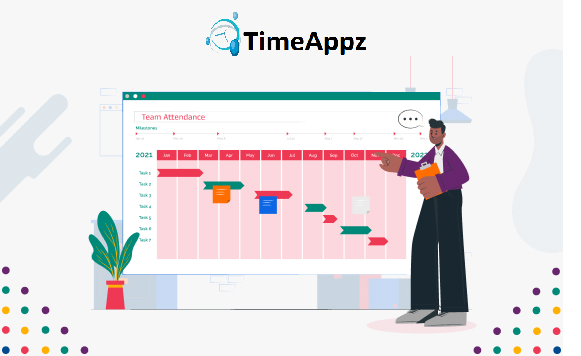
Over a ten-year period, Timeappz has assisted companies in enhancing employee management, openness, and productivity. And if one thing we have discovered is that things fall apart quickly without appropriate tracking. Employee time & attendance tracking solutions then go beyond mere software. These are instruments safeguarding time, money, even morality.
Track Attendance the Smart Way
Eliminate errors, save time, and manage your team efficiently with ProjecTime.
Monitoring team attendance can appear easy, but as your organization expands, so does its complexity. Whether you are working with a small team or tracking attendance for a whole department, keeping an eye on who’s in, out, on vacation, or late is essential to productivity and accountability. Within this article, we share a free team attendance tracking spreadsheet that makes monitoring your workforce easy. Complete with an intuitive layout, Excel compatibility, and automatic formulas, this attendance tracking spreadsheet provides clarity and organization to your HR processes without the hefty price tag for specialized software. Let’s see how an attendance tracking spreadsheet can facilitate streamlining daily routines, compliance, and workforce transparency.
Why Attendance Tracking is Important
Employee attendance is more about monitoring who attends work than you might realize. Attendance affects payroll accuracy, project scheduling, productivity, and compliance with the law. Inaccurate attendance or failure to record can result in:
- Payroll discrepancies and disputes
- Misallocated workloads
- Inaccurate vacation records
- Poor accountability of the workforce
An attendance tracking spreadsheet provides HR teams and managers with the insight to make informed choices and minimize administrative overhead.
- No centralization
- Inaccessibility of attendance history
- Manual mistakes
- Time-consuming vacation monitoring
Attention: Drawbacks in Manual Attendance Management
Most smaller companies begin with a very makeshift manual approach—pen-and-paper, whiteboard, or email. However, these quickly create misunderstandings, lost records, and mistakes. So, common problems that exist are:
That’s when our free employee attendance tracking spreadsheet comes in.
Learn More About Time Tracking
- Log employee attendance (Present, Absent, Late, On Leave)
- Indicate holidays and weekends
- Summary attendance per employee
- See attendance by month or by employee
Awareness: What is a Team Attendance Tracking Spreadsheet?
An attendance tracker spreadsheet is a pre-designed Excel spreadsheet that lets you:
The best news? You can use it for free, modify to your team structure, and keep control of your records.
Key Features of the Free Employee Attendance Tracking Spreadsheet
- Compatibility in the Excel Format
- Monthly Attendance Summary
- Employee name and ID
- Calendar dates with dropdown status choices (P, A, L, H, etc.)
- Automated tally of:
- Presents
- Absents
- Lates
- Holidays/Leaves
- Labels and Layout Customizability
- Full-time and part-time distinctions
- Remote and on-site indicators
- Attendance Summary Dashboard
- Total working days
- Attendance value per employee
- Total leaves per month
- No Software Requirements
Our attendance tracker spreadsheet in Excel format helps you open and modify the file using Microsoft Excel, Google Sheets, or any spreadsheet-compatible program.
Every tab has:
Adjustable to your team’s special workday, shifts, or leave types. Example:
An incorporated dashboard calculates:
No logins or platform memberships. Download the free employee attendance tracker spreadsheet and get started now.
Consideration: Who Should Use the Spreadsheet to Track Attendance?
HR Directors – Maintain organized attendance records for compliance and payroll. Team Leads – Control team availability and optimize shift scheduling. Business Owners – Eliminate software expenses using a free attendance tracker spreadsheet that works. Freelancers & Contractors – Track part-time or project-based teams with low admin overhead.
How to Use the Attendance Tracking Spreadsheet Excel Template
Step 1: Download the Template Download the editable Excel file and open in your spreadsheet software of choice. Step 2: Include Employee Details Input employee names, IDs, and shift details if necessary. Step 3: Mark Attendance Each Day Use dropdowns or manual entry to record each employee’s daily status. Step 4: Review Summary & Insights Use the automatic totals and dashboard to view trends, attendance problems, or excessive absenteeism.
Why This Template is a Smart Move
More than a convenience, this team attendance tracking free spreadsheet template provides value by allowing you to plan better, enforce policies, and allocate resources better. Instead of spending money on costly software for a basic need, you can:
- Save on software license costs
- Avoid mistakes with manual calculations
- Implement an automated attendance system instantly
Still stuck in the old ways of tracking time by hand or through misplaced emails? It’s time to change.
Conclusion
No matter if you’re running a small company, an expanding startup, or a distributed team, an effective attendance tracking method is essential. This team attendance tracking free spreadsheet template provides a dependable, free solution to keep attendance logs, assist with payroll processing, and maintain compliance. Say goodbye to pricey errors and manual tracking hassles. Use our attendance tracking spreadsheet to ease your HR tasks today.
Frequently Asked Questions
What is an attendance tracking spreadsheet?
- An attendance tracking spreadsheet is a simple tool used to record employee work hours, absences, and attendance patterns using software like Excel or Google Sheets.
What are the benefits of using an attendance tracking spreadsheet?
- It helps teams monitor attendance, reduce errors, improve accountability, and maintain organized records without needing complex software.
What are the limitations of attendance tracking spreadsheets?
- Spreadsheets require manual updates, are prone to errors, lack automation, and become difficult to manage as teams grow.
When should businesses switch from spreadsheets to automated tools?
- Businesses should switch when managing large teams, needing real-time tracking, or aiming to improve accuracy and efficiency with automated attendance systems like ProjecTime.
🎯 Future-Proof Your Organization’s Attendance Infrastructure
While a free attendance tracking spreadsheet is an excellent starting point for small teams, relying on manual data entry as your workforce expands introduces severe operational liabilities. Missing records, broken calculation rows, and unverified data entries can lead to payroll inflation and compliance risk. ProjecTime by TimeAppz replaces spreadsheet friction with a real-time, automated attendance and capacity management platform. Deploy seamlessly on our secure cloud architecture or run completely On-Premises behind private company firewalls.
Permanently Free Plan
Perfect for independent consulting teams and early-stage boutique startups. Holds core timesheets, baseline billing features, and support for up to 2 users and 1 project permanently.
Advanced Resource Optimization Plan
Unlock full features via our 30-Day Free Trial—no credit card required. Experience automated multi-rate workflows, live administrative dashboards, cross-project data tracking, and native payroll integrations.

Related Blog
 DCAA Timekeeping Requirements: A Practical Guide for Government Contractors
If your organization holds a cost-reimbursable, time-and-materials, or labor-hour government contract
TimeAppz
 Timesheet Reminders: How to Ensure On-Time Submission Every Week
Late timesheet submissions are a management problem before they are an employee
TimeAppz
 Timesheet Approval Process: Best Practices for Teams
A timesheet without an approval is not a reviewed document. It is
TimeAppz