

Eliminating the Focus Tax: Unifying Fragmented Productivity Stacks to Reclaim Lost Billable Hours Natively
You finish a video call, and the real work begins: the app shuffle.
The task is in Asana. The timer is in Toggl. The file you need is in Google Drive, and the crucial feedback is buried in a Slack thread from two days ago.
You spend the next 20 minutes mentally stitching together the story of a single task, jumping between tabs, and hoping you haven’t missed a critical update.
This isn’t productivity. It’s performative busyness and the culprit is a fractured digital environment defined by three critical failures: crippling tool integration issues, the exhausting burden of managing multiple productivity tools, and a complete lack of real-time synchronization that forces you to steer projects with yesterday’s data.
But what if you could close the tabs for good?
This guide reveals how the right productivity tools for work act as a single, clear window into your team’s workflow, finally syncing collective effort with real-time progress to turn chaos into clarity.
Key Takeaways
- Reclaim Lost Time: Consolidate your app stack to slash context-switching and reclaim hours lost to digital clutter each week.
- Data-Driven Decisions: Forge a live connection between time tracking and project management for accurate budgeting and forecasting.
- Adoption is Everything: The best tool is one your team will actually use; user adoption trumps a bloated feature list every time.
- Build for Tomorrow: Choose a scalable solution to avoid the disruptive and costly headache of another platform migration.
What’s Really Draining Your Team’s Productivity? The Cost of Disconnected Tools
Let’s be honest: a messy digital workspace kills momentum. But it’s not just about having too many apps, it’s about how they fail to work together, creating a hidden tax on your team’s efficiency.
- The Integration Gap: Using a top-tier project management app alongside a powerful time tracking tool should create clarity. But if they don’t share data, you’re stuck with manual updates that introduce errors and skew your project data.
- The Focus Tax: Every time an employee switches from their timer to their task board to their communication app, they lose momentum. This constant context-switching fragments concentration and is a major drain on workplace productivity.
The Three Biggest Costs of Tool Disconnection
When your software doesn’t talk, your team has to. This manual coordination creates a drag on work efficiency that shows up in three expensive ways:
Imagine a project manager seeing a task marked “complete” in Asana, while the time tracking data in Harvest shows the task is 20% over budget. This “data disconnect” isn’t just a hypothetical, it’s a common consequence of using siloed tools. According to Asana’s research, employees waste 13% of their time, or nearly 6 hours per week, on “work about work” like managing shifting priorities and searching for information tasks that are magnified by disconnected apps.
Furthermore, foundational research from the Project Management Institute (PMI) has shown that poor communication is a primary contributor to project failure and budget loss. Without a live connection between apps, managers are forced to make critical decisions in the dark, directly risking timelines and profits.
The Solution: One System to Rule Them All
The way out of this chaos is moving from a scattered collection of apps to a cohesive work operating system. A unified platform acts as a central hub for tasks, time, documents, and communication creating that single source of truth that gives everyone accurate, live data. Here are the platforms that actually deliver on this promise, evaluated on what matters most: integration, usability, and their ability to streamline communication and optimize workflow.

The Best Productivity Tools for Work in 2025
- Best For Teams That: Want to eliminate context-switching entirely and manage everything from one dashboard.
- Key Insight: Built-in time tracking creates a direct link between effort and tasks without ever leaving the app.
- One Thing to Watch: The extensive feature set can feel overwhelming without proper onboarding.
1. ClickUp: The All-in-One Powerhouse
What is it? A platform designed to be the “one app to replace them all,” combining tasks, docs, goals, and native time tracking.
- Best For Teams That: Think in terms of data pipelines and need to tailor the system to their unique workflow.
- Key Insight: Its time tracking column and robust automation capabilities make it a favorite for business managers.
- One Thing to Watch: Advanced features like automated project tracking often require higher pricing tiers.
2. Monday.com: The Visual Workflow Architect
What is it? A highly visual and customizable Work OS that excels at automating complex processes.
- Best For Teams That: Prioritize ease of use and need a quick, visual start to task management.
- Key Insight: “Power-Ups” let you connect to specialized tools like Harvest, offering a best-of-both-worlds approach.
- One Thing to Watch: Can become cumbersome for complex projects with multiple dependencies.
3. Trello: The Simple and Flexible Starter
What is it? An intuitive, card-based tool that uses boards, lists, and cards to organize projects visually.
How to Make the Right Choice For Your Team
Selecting a new platform is a strategic decision. After considering the human element (will your team actually use it?), security needs, and true total cost, use this comparison to match a tool’s core strength to your most pressing need:
| Tool | If Your Top Priority Is… | Best For… |
| ClickUp | Consolidation & comprehensive features | All-in-one power and eliminating app switching |
| Monday.com | Automation & custom workflows | Visual project management and process building |
| Trello | Simplicity & quick setup | Easy adoption and visual task management |
“The best productivity tool for work depends on your needs. For all-in-one power, use ClickUp. For visual workflows, choose Monday.com. For simple task management, Trello is perfect.”
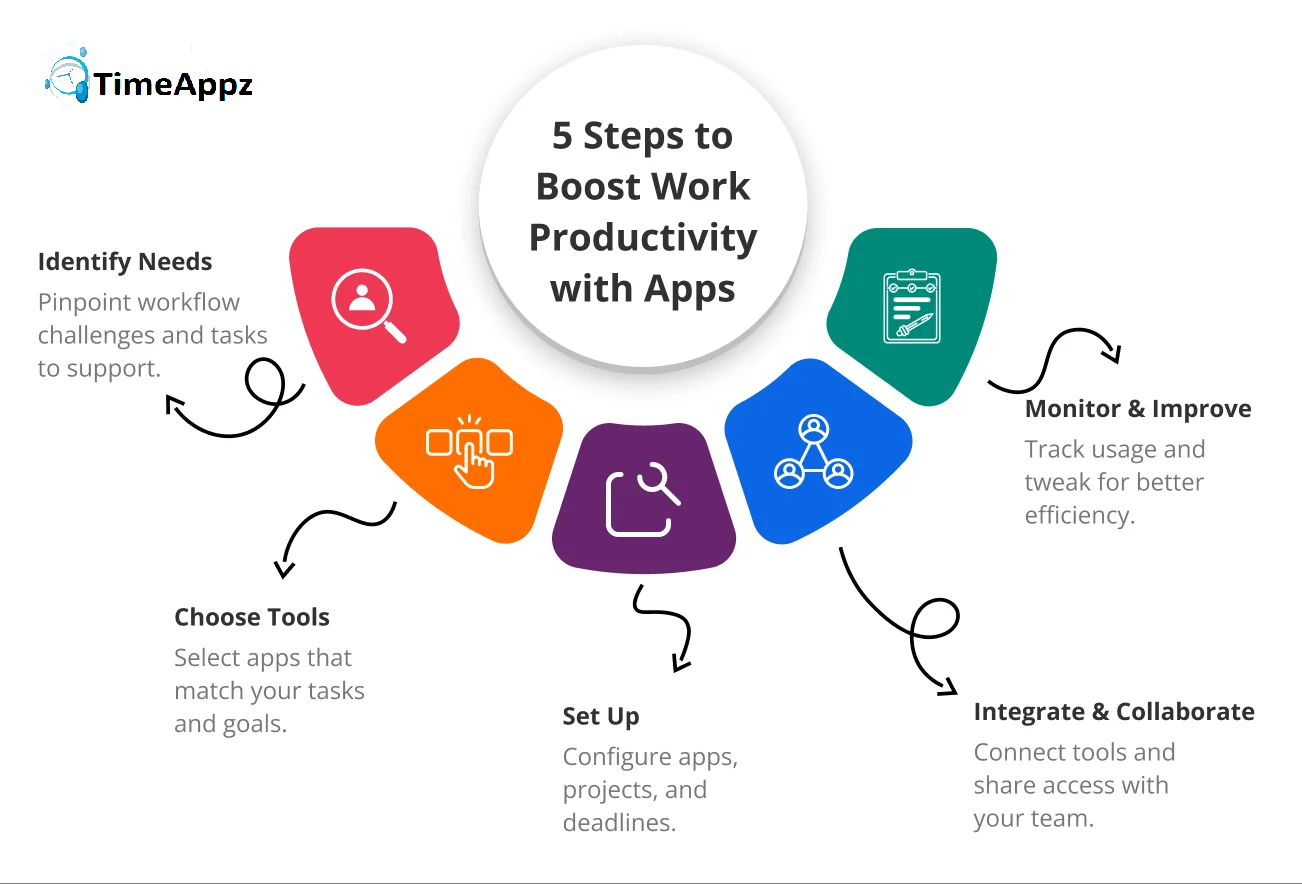
Your 3-Step Plan to a More Productive Workflow
Ready to stop juggling apps and start getting work done? Here’s your action plan:
- Run a Tool Audit: For one week, have your team list every app they use. You’ll quickly see the redundancies and integration issues causing the most friction.
- List Your Non-Negotiables: Decide what you absolutely need live Gantt charts, native time tracking, or specific integrations.
- Test Drive Your Top Choice: Run one real project through your preferred tool. A hands-on trial is the only way to know if it will truly optimize your workflow.
Conclusion
The frustration of juggling multiple apps and manually syncing data isn’t just an inconvenience, it’s a significant drain on your team’s potential and your company’s bottom line. The chaos of disconnected systems prevents you from seeing what truly matters: clear, actionable insights into your team’s progress and productivity. You’ve now seen how the right productivity tools for work transform this chaos into clarity. Platforms like ClickUp, Monday.com, and Trello each offer a path toward that crucial integration between time tracking and project management but each serves a different need. Whether you prioritize all-in-one consolidation, visual workflow automation, or simple flexibility, the power to choose a system that actually fits your team’s workflow is now in your hands. This isn’t just about choosing new software. It’s about making a strategic decision to replace complexity with cohesion. You have the framework. You know the real costs of disconnection and the measurable benefits of unification. Take that first step today. Choose one tool from your audit, start that free trial with a real project, and begin building a workflow where your technology supports your goals instead of getting in the way. Stop guessing and start optimizing. Partner with Timeappz. Let our consultants conduct a free workflow audit and recommend a tailored implementation plan contact our team at [email protected] or Live ChatThe Live Chat option is in the bottom-left corner!← Look Left to explore implementation options tailored to your construction operations.
Frequently Asked Questions
What is the best productivity software for a small business?
- For small businesses, we recommend all-in-one platforms like ClickUp for comprehensive features or Trello for simplicity.
- The right tools boost productivity by creating seamless connections between time tracking and project management.
- Integrating time tracking with project management delivers three key benefits: accurate cost tracking, realistic scheduling, and valuable efficiency insights.
- Choose Asana for complex projects with multiple dependencies; choose Trello for straightforward, visual task management.
- Focus on demonstrating clear user benefits and providing proper training to ensure adoption.
- At ProjecTime by Timeappz, we provide a structured framework that matches your team’s specific workflow needs with the ideal productivity solution.
- Our implementation methodology focuses on people-first adoption, not just software deployment.
🎯 Move Beyond Disjointed App Shuffling to Complete Workflow Sovereignty
Allowing your workforce to juggle separate, disconnected task tools, external stopwatches, and silent file repositories is a severe financial and operational liability. It results in data silos, manual entry errors, and massive utilization leakage. ProjecTime by TimeAppz closes the integration gap by unifying real-time timesheets, project execution tracking, and automated client billing under a single, centralized pane. Take complete control of your billable realization rates, deploy safely on our optimized cloud, or run completely On-Premises behind private company firewalls.
Permanently Free Plan
Perfect for independent consulting teams and early-stage boutique agencies. Holds core timesheets, baseline billing features, and support for up to 2 users and 1 project permanently.
Advanced Resource Optimization Plan
Unlock our 30-Day Full-Feature Trial—no credit card required. Experience automated report building, live workload heatmaps, cross-project data tracking, and native payroll integrations.

Related Blogs
 DCAA Timekeeping Requirements: A Practical Guide for Government Contractors
If your organization holds a cost-reimbursable, time-and-materials, or labor-hour government contract
TimeAppz
 Timesheet Reminders: How to Ensure On-Time Submission Every Week
Late timesheet submissions are a management problem before they are an employee
TimeAppz
 Timesheet Approval Process: Best Practices for Teams
A timesheet without an approval is not a reviewed document. It is
TimeAppz